
Best Seller Icon Bestseller

Certificate In Basic Computer(S-CBC-6377)

  • Last updated Nov, 2026
  • Certified Course
₹3,000 ₹3,500

Course Includes

  • Duration2 Months
  • Enrolled0
  • Lectures40
  • Videos0
  • Notes0
  • CertificateYes

What you'll learn

Basic Computer Course in Mayur Vihar, Delhi

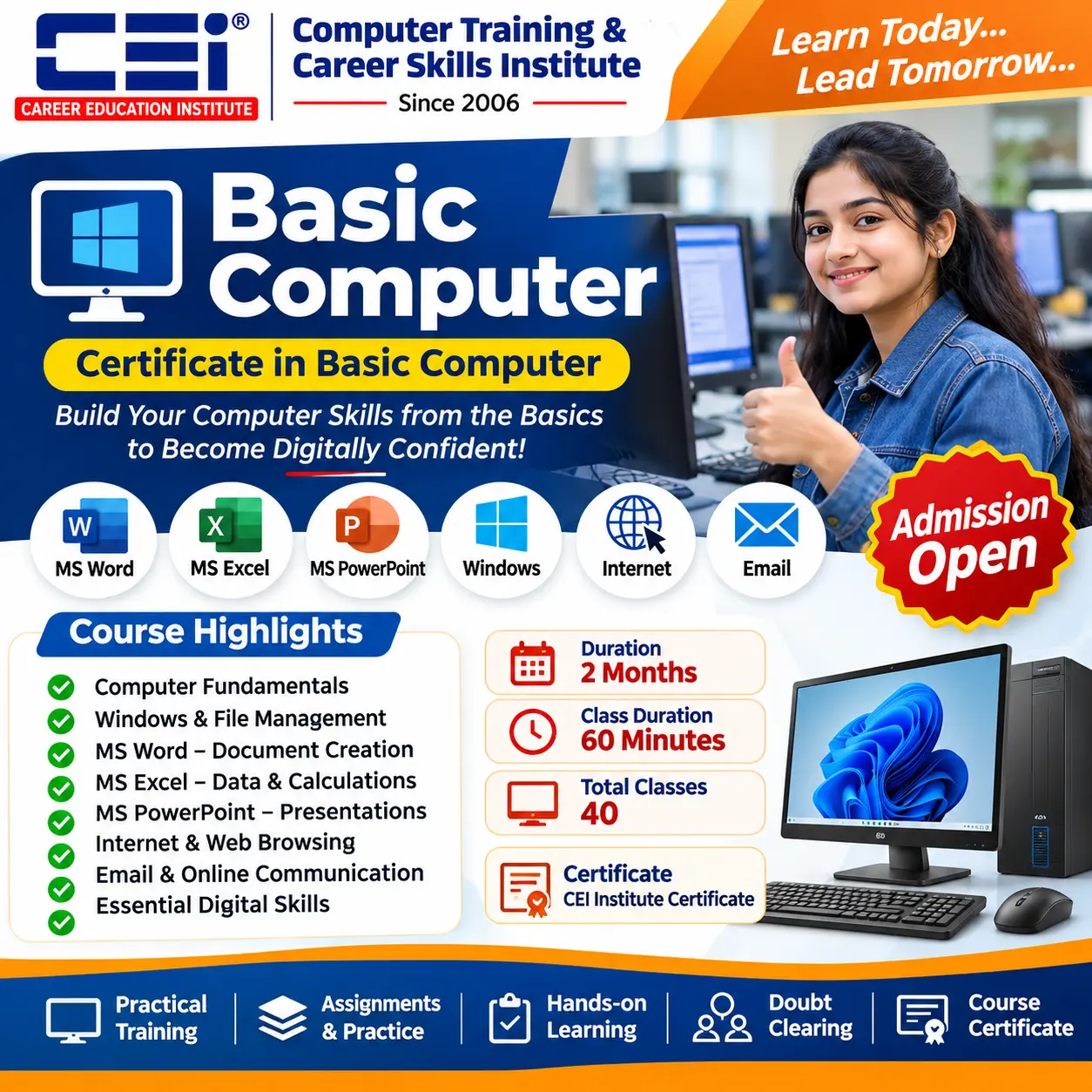
Develop essential computer skills with the Basic Computer Course at Career Education Institute (CEI), Mayur Vihar Phase 1, Delhi. Established in 2006, CEI provides practical, career-oriented computer education for students, beginners, job seekers, working professionals and homemakers.

This 2-month computer certificate course is designed to help learners gain confidence in using computers for education, office work, employment and everyday digital activities.

Students learn Computer Fundamentals, Windows and File Management, Microsoft Word, Microsoft Excel, Microsoft PowerPoint, Internet Browsing, Email Communication and Essential Digital Skills through hands-on practical training.

Course Highlights

  • Duration: 2 Months
  • Total Training Hours: 40 Hours
  • Class Duration: 60 Minutes
  • Classes: 5 Days a Week
  • Training Mode: Offline Classroom and Computer Lab
  • Practical Exercises and Assignments
  • Experienced Computer Trainers
  • Air-Conditioned Computer Lab
  • Doubt-Clearing Support
  • Objective and Practical Assessment
  • CEI Course Completion Certificate

Career Opportunities

This course provides foundational computer skills useful for entry-level roles such as Computer Operator, Data Entry Operator, Office Assistant and Administrative Support Assistant.

If you are looking for a beginner-friendly computer course in Mayur Vihar or East Delhi, CEI offers structured classroom learning and practical computer training to help you build essential digital skills.

Institute: Career Education Institute (CEI)

Location: D-35, Acharya Niketan, Near Kukreja Hospital, Mayur Vihar Phase 1, New Delhi – 110091.

Website: www.ceiedu.in

Learn Today… Lead Tomorrow…

Show More

Course Syllabus

Basic Computer Course – Detailed Syllabus

Duration: 2 Months

Total Lectures: 40

Training Hours: 40 Hours

Training Mode: Theory and Practical

Module 1: Computer Fundamentals

  • Introduction to Computers
  • Characteristics and Applications of Computers
  • Types of Computers
  • Computer Hardware and Software
  • Input and Output Devices
  • CPU, Memory and Storage Devices
  • Introduction to Operating Systems
  • Basic Computer Operations

Module 2: Windows & File Management

  • Introduction to Microsoft Windows
  • Desktop, Icons, Taskbar and Start Menu
  • Windows Settings and Basic Customization
  • Creating and Managing Files and Folders
  • Copying, Moving, Renaming and Deleting Files
  • Recycle Bin and File Recovery
  • File Explorer and Search
  • Keyboard Shortcuts

Module 3: Microsoft Word

  • Introduction to Microsoft Word
  • Creating, Saving and Opening Documents
  • Text Editing and Formatting
  • Paragraph Alignment and Spacing
  • Bullets and Numbering
  • Tables, Images and Shapes
  • Page Layout and Margins
  • Headers, Footers and Page Numbers
  • Spelling and Grammar Check
  • Print Preview and Printing
  • Practical Document Creation

Module 4: Microsoft Excel

  • Introduction to Microsoft Excel
  • Workbooks and Worksheets
  • Rows, Columns and Cells
  • Data Entry and Cell Formatting
  • Basic Mathematical Operators
  • Basic Formulas and Functions
  • SUM, AVERAGE, MIN, MAX and COUNT
  • Sorting and Filtering Data
  • Basic Charts and Graphs
  • Worksheet Printing
  • Practical Spreadsheet Exercises

Module 5: Microsoft PowerPoint

  • Introduction to Microsoft PowerPoint
  • Creating and Managing Presentations
  • Slides and Slide Layouts
  • Themes and Design Templates
  • Inserting Text, Images and Shapes
  • Slide Transitions and Animations
  • Slide Show and Presentation Techniques
  • Saving and Printing Presentations
  • Practical Presentation Creation

Module 6: Internet & Web Browsing

  • Introduction to the Internet
  • Web Browsers and Search Engines
  • Websites and Web Addresses
  • Effective Internet Searching
  • Downloading and Uploading Files
  • Online Forms and Services
  • Safe Internet Browsing

Module 7: Email & Online Communication

  • Introduction to Email
  • Creating and Managing Email Accounts
  • Composing, Sending and Receiving Emails
  • CC, BCC and Email Attachments
  • Replying and Forwarding Emails
  • Email Etiquette
  • Introduction to Online Communication Tools
  • Spam and Phishing Awareness

Module 8: Essential Digital Skills

  • Basic English and Hindi Typing Awareness
  • PDF Documents and File Conversion
  • Printing and Scanning
  • Introduction to Cloud Storage
  • Digital Payment Awareness and Safety
  • Password Security and Data Privacy
  • Safe and Responsible Use of Technology
  • Basic Computer Troubleshooting

Practical Training and Assessment

  • Module-wise Practical Exercises
  • Regular Assignments
  • Document Creation Project
  • Excel Spreadsheet Project
  • PowerPoint Presentation Project
  • Objective Examination (MCQs)
  • Practical Examination

Learning Outcomes

After successful completion of this course, students will be able to operate computers confidently, manage digital files, create professional documents, prepare spreadsheets and presentations, use internet services, communicate through email and perform essential everyday computer tasks independently.

Eligibility

Who can apply for this course

  • Open to school students, college students, job seekers, working professionals, homemakers and beginners.
  • No prior computer knowledge or technical experience is required.
  • Basic reading and writing skills in Hindi or English are recommended.
  • Suitable for anyone interested in developing essential computer and digital skills for education, employment, office work and everyday use.

Course Fees

Course Fees
:
₹3500/-
Discounted Fees
:
₹ 3000/-
Course Duration
:
2 Months

Review

0.0
Course Rating (0 reviews)
0%
0%
0%
0%
0%


Call
Text Message
Review
Email
CHAT